-
Accelerate AI SecurelyEnable secure AI adoption with visibility, governance, and control across identities, agents, and accessDefend Against AI AttacksProtect your organization from AI-driven threats by securing identities, controlling access, and reducing attack paths.Cyber InsuranceImprove your cyber insurance readiness with stronger identity security, governance, and privileged access controls.RansomwareDefend against ransomware by securing privileged identities, limiting access, and reducing attack paths.Vendor ConsolidationReduce complexity, strengthen security and improve IT ROI through platform consolidation.Secure Remote WorkforceSecure access for employees, contractors, and third parties from anywhere.Reduce Identity RiskGain visibility, control, and continuous authorization across every identity.Financial ServicesReduce identity risk and strengthen governance across financial institutions.HealthcareSecure access to critical systems, patient data, and clinical environments.Federal & PublicSupport secure access, compliance, and operational resilience across public sector enterprises.Energies & Critical InfrastructureProtect critical systems and privileged access across essential infrastructure.EducationProtect your educational institution from ransomware and data misuse.VisibilityDiscover every human, machine, and AI identity across your environment.PostureIdentify excessive privileges, policy gaps, and emerging identity risks.ControlApply authorization and access policies to every identity, session, and action.Human IdentitiesSecure workforce, privileged, and third-party identities.Machine IdentitiesProtect secrets, credentials, certificates, and non-human identities.Agentic IdentitiesGovern and control access for AI agents and autonomous systems.Cloud StatusCheck availability and service health across Delinea cloud services.Customer SupportGet product support, technical guidance, and help from Delinea experts.Identity Security Maturity ModelAssess your identity security maturity and identify priorities for improvement.Professional ServicesAccelerate deployment, adoption, and value with expert implementation and advisory services.Trust CenterAccess Delinea security, privacy, compliance, and assurance information.User TrainingBuild product knowledge and skills with Delinea training and learning resources.
-
The Delinea PlatformA unified identity security platform that protects human, machine and AI identities across your enterprise.Delinea Iris AIAI-powered intelligence that delivers real-time insights, automation and continuous authorization.Secret ServerSecure privileged credentials with enterprise password vaulting and session management.Continuous Identity DiscoveryContinuously discover and inventory every identity across your enterprise.Credential ManagerManage, rotate and protect privileged credentials across hybrid and cloud environments.Fastpath Access GovernanceAutomate access governance, segregation of duties and compliance reporting.Privilege Control for ServersEnforce least privilege and application control across Windows and Linux servers.Privileged Remote AccessProvide secure remote access for employees and third parties without exposing privileged credentialsFull Product ListingBrowse the complete Delinea product portfolio and find the right solution for your enterprise.Why Delinea FastpathDiscover how Delinea Fastpath helps enterprises govern access, reduce risk and strengthen compliance across critical business applications.Delinea Fastpath Access ControlIdentify Segregation of Duties conflicts and sensitive access risk within and across business applications.Delinea Fastpath Access ReviewAutomate user access reviews and generate clear, consistent audit evidence with less manual effort.Delinea Fastpath Change TrackingMonitor critical permission, configuration and data changes across business applications.Delinea Fastpath Access ProvisioningAutomate compliant access requests, approvals, provisioning and deprovisioning.Delinea vs CyberArkCompare Delinea and CyberArk to see how the platforms differ in identity security, deployment and ease of use.Delinea vs BeyondTrustExplore the key differences between Delinea and BeyondTrust across privileged access and identity security.Delinea vs MicrosoftSee how Delinea extends beyond native Microsoft capabilities to deliver comprehensive identity security.Delinea vs One IdentitySee how Delinea authorizes every action at runtime, keeps credentials off users and AI agents and supports your identity provider.Delinea vs SaviyntExplore how Delinea and Saviynt compare across identity security, governance and privileged access.
-
All ResourcesBrowse Delinea’s complete library of educational content and resources.BlogsStay up to date with the latest identity security insights and industry trends.VideosWatch product demonstrations, customer stories and educational content.WebinarsJoin expert-led webinars covering identity security and best practices.EventsDiscover upcoming conferences, webinars and Delinea events.EbooksDownload in-depth guides, research and educational resources.GlossaryUnderstand key identity security, cybersecurity, and privileged access terms with Delinea’s comprehensive glossary.PodcastEnjoy freshly brewed hot takes with our Grounds for Access podcast.Product DocumentationAccess technical guides, product documentation, and implementation resources.Solution BriefsLearn how Delinea solutions address specific business and security challenges.Trust CenterReview security, compliance, privacy, and trust-related information.
-
Customer SuccessMaximize the value of your Delinea investment with expert guidance and ongoing success planning.Professional ServicesAccelerate deployment and optimize your identity security strategy with Delinea experts.User TrainingBuild product knowledge and develop expertise through Delinea training and certification programs.Cloud StatusView the real-time status and availability of Delinea cloud services.Customer CommunityConnect with peers, share knowledge and discover best practices from the Delinea community.Integrations MarketplaceExplore integrations that extend and enhance the Delinea Platform across your technology ecosystem.Product DocumentationAccess technical documentation, product guides, APIs and implementation resources.Technical SupportGet expert assistance, troubleshoot issues and manage support requests.Trust CenterReview Delinea’s security, compliance, privacy and trust information.
-
About DelineaLearn about Delinea’s mission, vision, and approach to identity security.The Delinea DifferenceDiscover what sets Delinea apart in securing human, machine, and AI identities.Leadership TeamMeet the leaders driving Delinea’s strategy and innovation.Contact UsConnect with our teams around the world.
Track critical configuration and data changes
Delinea Fastpath Change Tracking monitors changes to key configurations, parameters, settings and data across critical business applications, capturing who made each change, what was altered, when it occurred and the before-and-after values.
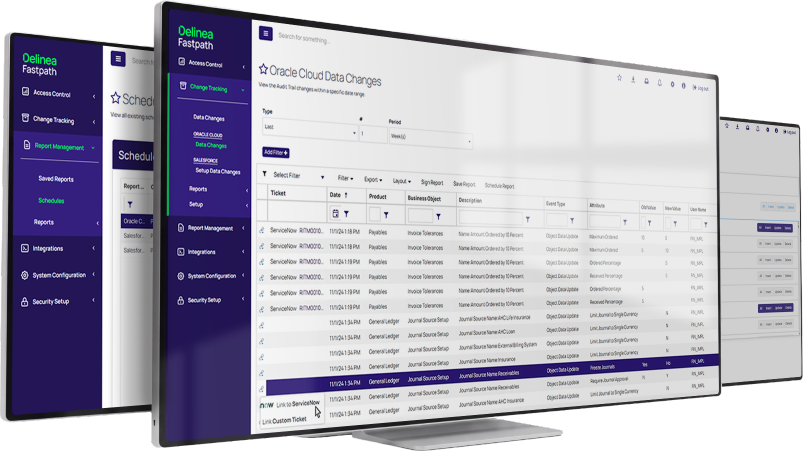
Critical changes are difficult to control without complete evidence
Unexpected changes to sensitive configurations and data in business applications can affect automated business processes, internal controls and compliance. Without focused monitoring and a complete audit trail, teams can struggle to determine what changed, who made the change and whether it was appropriate.
- Sensitive configurations and data spread across critical business applications
- Change records missing sources, before-and-after values or timestamps
- Tickets and approvals disconnected from the supporting change evidence
Define the scope. Track the change. Validate the outcome.
From change detection to auditable resolution
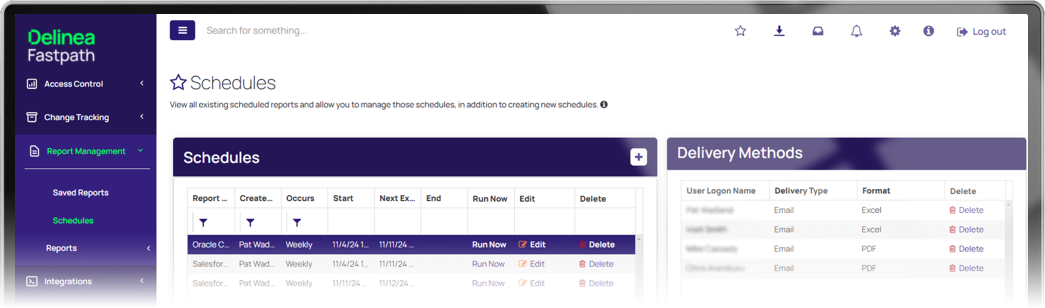
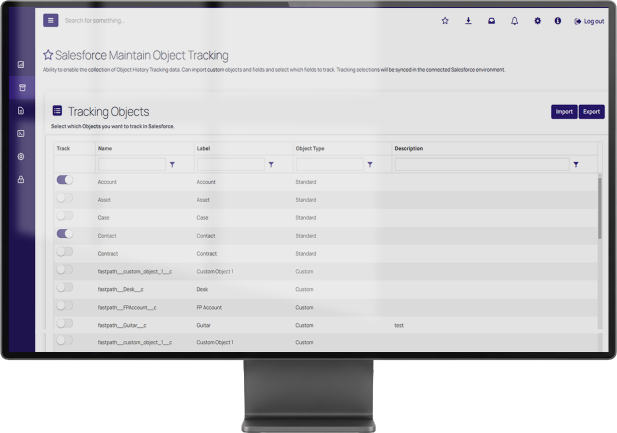
Define the sensitive fields that require monitoring, capture each change, analyze its source and values, validate the related ticket or approval and remediate changes that should not remain.
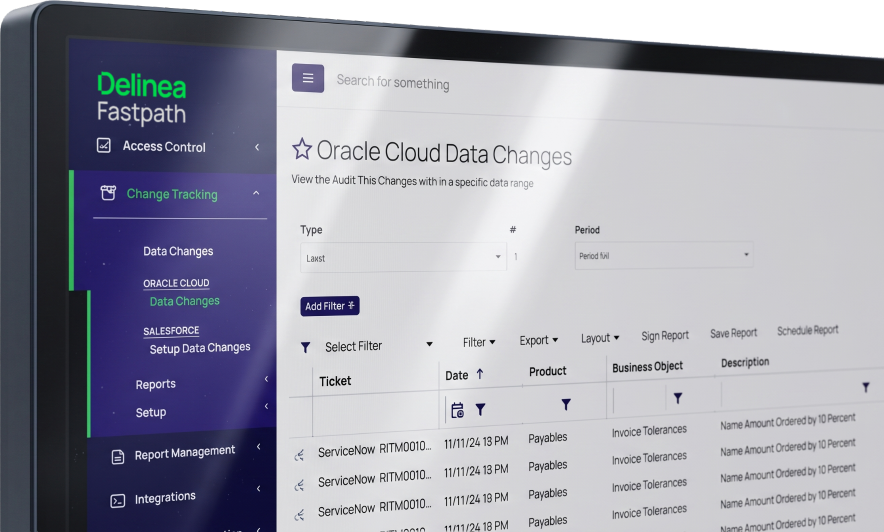
See the source, values and timing of every change
Delinea Fastpath Change Tracking creates detailed audit trails for changes to configurations, parameters, settings and data. Reports show the source of each change, the user responsible, the before-and-after values and the relevant time and date stamps.
- Identify the user responsible
- Record the source of the change
- Compare before-and-after values
- Capture time and date stamps
Connect change evidence to approvals and action
Delinea Fastpath Change Tracking integrates with ITSM applications so teams can link changes to tickets, track approvals and retain the context required to determine whether a change was appropriate. Inappropriate transaction, configuration or field settings can then be identified and corrected.
- Link tickets to ITSM applications like ServiceNow, Jira and Zendesk
- Track the approval associated with each change
- Detect and correct inappropriate changes
TRUSTED BY LEADING ENTERPRISES AND AUDIT FIRMS






Fastpath made it possible for us to move audit compliance reporting from painful quarterly task to continuous pain-free process.”
Jorge Grau · Chief Information Officer, SBA Communications
SBA Communications used Delinea Fastpath Change Tracking to monitor changes to key fields across its Dynamics GP databases and report data changes through a common, flexible reporting tool.
Read the case study →
-
Learn. Apply. Govern.
Practical guides, customer stories webinars and more.View all Delinea Fastpath resources → -
WebinarAutomating SoD Controls Across Your Enterprise
Explore best practices for segregation of duties controls and how to integrate SoD analysis into your business processes.
Watch webinar →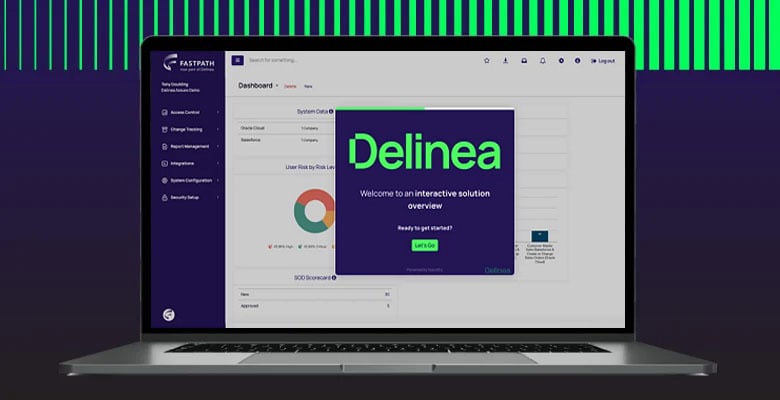
-
WhitepaperManaging Identity and Access Controls Across Multiple Applications
Best practices companies should consider when managing risk in the evolving business application security landscape.
Download whitepaper →
Whether you want a guided tour or hands-on
access, pick the path that fits
Watch a guided walkthrough
See Delinea Fastpath in action with a guided walkthrough of the solution, key capabilities and how it helps govern application access across your business applications.
Talk to an expert
Speak with a Delinea specialist about your application access, governance challenges and compliance goals to understand how Delinea Fastpath can help your enterprise.